

The short answer (updated October 2026):
- OpusClip is worth it for a coach who already records long, like weekly webinars or podcast interviews. Pro costs $29 a month, or $14.50 a month billed annually, for 300 minutes of uploads.
- It is a poor fit if your videos are already short. OpusClip says a video under 3 minutes gives you 1 or 2 clips, so you would mostly be paying for captions.
- Skip Starter. At $15 it cannot schedule posts ahead or post to LinkedIn. Both need Pro.
- Users praise how fast it finds clips in long recordings. They complain about expiring credits and projects, editing time and support.
You have a folder of webinar recordings and Zoom workshops. You want them on LinkedIn and Reels without hiring an editor. OpusClip is built for that, and for a coach who records long it earns its $29. If your videos are short talking-head pieces, it has almost nothing to work with.
Full disclosure: CreateSocial makes a competing tool. This review is built from OpusClip's pricing page, its help center and public user reviews. You get a sourced plan table, clip counts by video length and a fit checklist.
OpusClip turns one long video into dozens of vertical clips
OpusClip takes a long video and cuts it into short vertical clips with captions, ready for Shorts, Reels and TikTok. You paste a link or upload a file, and it hands back a list of clips. The help center says it takes videos up to 10 hours long.
There are two clipping models. ClipAnything reads visuals, sound and emotion. ClipBasic works from what you say, and OpusClip's own comparison admits it "can only clip talking-head videos well." For a coach that is fine. A talking head is what you record.
On paid plans, each clip gets a virality score from 0 to 99, and the list is sorted by it. OpusClip grades the hook, the flow, the value and how well the clip fits current trends. Read the score as a sort order. Nothing in OpusClip's description of it mentions your audience or your past posts. A 92 tells you which clip to watch first. Whether your buyers stop for it is still a guess.
The paid plans add an editor, filler and pause removal, B-roll and posting to your social accounts. Captions work in more than 20 languages. It is a long feature list. The real question for a coach is what you feed it.
People often ask whether OpusClip is the same as Descript. It isn't. Descript is an editor where you cut a video by deleting words from its transcript, and our Descript review covers it. OpusClip works from the other end. It finds the clips first, then gives you a text and timeline editor to tidy them.
OpusClip pricing: Starter is $15, Pro is $29, and a coach needs Pro
OpusClip has a free plan, Starter at $15 a month, Pro at $29 a month and custom Business pricing. Pro drops to $14.50 a month if you pay $174 for the year. Starter is monthly only.
| Plan | Price | Minutes you can upload a month | What it means for a coach | Source |
|---|---|---|---|---|
| Free | $0 | 60 | Watermark on every clip. No editing. Clips stop being exportable after 3 days. | Pricing page |
| Starter | $15 a month, monthly only | 150 | No watermark, virality score, vertical 9:16 only. Posts right away to YouTube, TikTok and Instagram. No scheduling ahead and no LinkedIn. | Pricing page, scheduler FAQ |
| Pro | $29 a month, or $174 a year ($14.50 a month) | 300 (3,600 up front on the annual plan) | Schedules to YouTube, TikTok, Instagram, LinkedIn, Facebook Pages, X, Pinterest, Threads and Bluesky. Up to 6 social accounts. Square and 16:9 as well as vertical. | Pricing page, plans help, scheduler FAQ |
| Business | Custom | Custom | Larger teams, single sign-on, a dedicated support channel. | Pricing page |
Prices and limits checked against OpusClip's pricing page and help center on October 12, 2026.
A credit is one minute of the video you upload, not one clip. A 45-minute webinar costs 45 credits whether you keep 3 clips or 30. Anything under a minute costs 1 credit, and partial minutes round down. Posting to X costs 3 credits per clip, per account. Monthly credits expire after 60 days. Annual plans hand over the whole year's credits at once, and they expire after 12 months.
Starter looks like the sensible middle. For a coach, it isn't. Most coaches and consultants want LinkedIn, and on Starter you can't post there or schedule anything ahead. If you buy, buy Pro. The free trial gives you Pro features for 7 days, and the pricing page says it needs no credit card. But trial exports carry a watermark, and you can't post or schedule from it. Our OpusClip pricing breakdown runs the per-clip math for three kinds of creator.
The coach question: do you record anything long enough to clip?
OpusClip only pays off if you feed it long recordings. It can only cut out what is already there. Its help center lists how many clips to expect at each length, and anything under 3 minutes gets 1 or 2. Here is what that means for the things a coach records.
| What you upload | Clips OpusClip says you get | Credits it uses | Source |
|---|---|---|---|
| A 60-second talking-head video | 1 to 2 | 1 | How many clips, how credits work |
| An 8-minute YouTube video | 3 to 14 | 8 | |
| A 20-minute podcast guest spot | 5 to 21 | 20 | |
| A 45-minute webinar | 23 to 32 | 45 | |
| A 90-minute workshop | 32 to 42 | 90 |
Look at the first row. A 60-second video goes in, one or two clips come out. The clip is the video. You would be paying a clipping tool to caption and reframe a file that was already the right length. If that row is your week, no clipper fixes the real problem, which is making the videos at all.
Now take a hypothetical leadership coach who runs a 45-minute webinar every week. Four webinars a month is 180 credits. Starter's 150 runs out, and Pro's 300 covers it with room for a podcast guest spot. Four webinars should give about 90 to 130 candidate clips. Nobody posts 130 clips. The real cost is the hour you spend choosing the handful worth posting.
Choosing well is hard for one more reason. A clip from minute 31 can lean on something you said in minute 12, and a stranger on Reels never heard minute 12. Our Opus Clip alternative guide digs into that context problem.
CreateSocial answers that context problem directly. Find Clips works on any video in your library that runs 8 minutes or more, recorded in CreateSocial or uploaded. It suggests zero to five standalone clips of about 15 to 90 seconds, each with a strength score. A suggestion can stitch two or three moments from different parts of the video into one clip, so the setup from minute 12 lands with the payoff from minute 31. A webinar with two strong moments gets two suggestions. It never pads the list with weak ones. So the trade is plain. OpusClip hands you 23 to 32 candidates from that webinar to sift. Find Clips hands you the five or fewer that stand on their own, so you watch five clips, not thirty.
What users praise: speed on long recordings
Reviewers keep saying the same thing. OpusClip finds usable moments in a long recording faster than they could by scrubbing through it. It holds 4 out of 5 on Trustpilot from 509 reviews. 63% are five stars and 20% are one star. Reviewers tend to love it or hate it.
The fairest summary comes from a two-star review written in June. Praise from an unhappy customer counts double. "OpusClip does one thing genuinely well: finding good clips from long videos. The AI clip detection is accurate most of the time and saves a real amount of manual scrubbing." Then the reviewer listed the problems, from slow loading and crashes to an editor clunky enough that they finish clips in Premiere Pro.
Happy users sound like this. One five-star review says it "saves us a lot of time editing our clips and is simpler to use than premiere pro." A podcaster is blunter: "If you have a podcast and you don't use Opus to cut up your content I don't know what you're doing with your life."
One detail suits coaches. A three-star reviewer has to fix the automatic layout switching on almost every clip. But once you play with the settings, if "you are just a ONE shot angle it works great." A coach on one webcam is that easy case. It reads like a podcaster's tool that coaches can borrow.
What users complain about: credits, expiring projects and editing time
Most complaints are about everything around the clipping: credits, things that expire, editing time and support. Fewer are about the clips themselves.
Credits first. One entrepreneur objects that "we have to spend money to buy credits, which expire without warning, and then use those credits to create clips, which also expire without warning." OpusClip's reply points out that the expiry date shows when you hover over your credits. On the free plan, a three-star reviewer says it "completely deletes any saved progress you had" after three days.
Editing time is the one to take seriously. A three-star reviewer bought it for a team member to run. Despite its simplicity, "editing the clips took too much time." So the reviewer tried it: "as an executive I didn't have time either." That is a coach's week too. OpusClip removes the scrubbing. Choosing and fixing clips still takes your time.
Reframing can need fixing too. A reviewer who films vehicles found the cuts "began focusing on me instead of showing what I was talking about," and says fixing it "takes time." If your webinars lean on slides, check that first.
Support gets the angriest reviews, like "16 emails to cancel and they're still trying to charge me." To be fair, Trustpilot shows OpusClip replying to every negative review, typically within 24 hours. Other reviewers say support refunded a charge or returned lost credits in the end.
Less editing starts with a cleaner take. In CreateSocial you record in sections, so a fluffed line costs you one section, and you fix the rest by deleting words from the transcript. Our guide to editing talking-head videos faster shows why that removes most of the edit.
Where OpusClip beats the alternatives, CreateSocial included
OpusClip wins on volume and price. If you have a year of recorded webinars, nothing you do by hand will mine them faster. It pulls straight from links on YouTube, Zoom, Riverside, StreamYard, Loom and Google Drive, and Pro takes local files up to 30GB. It clips anything up to 10 hours long, hands back dozens of clips, and Pro costs $14.50 a month on annual billing. For pure clipping, that is more clips for less money than an all-in-one tool like CreateSocial.
Pro also does things a solo coach will like. Speech cleanup flags fillers, pauses and whole bad takes, and you approve each cut. If you work with an editor, Pro exports to Premiere Pro and DaVinci Resolve. And if a Pro project gives you nothing useful, you can refund its credits within 14 days, as long as you haven't downloaded a clip.
For a broader list of options, see our roundup of content repurposing tools.
Does your content fit OpusClip? A five-question checklist
Answer these honestly before you pay. They take two minutes.
- Do you record 30 minutes or more of yourself talking at least twice a month? Think webinars, workshops, live Q&As and podcast guest spots.
- Can OpusClip reach the recordings? That means a file, or a public or unlisted link from one of the sources above. Private videos can't be read.
- Do your talks contain answers that stand alone, like a Q&A, rather than one argument that builds for an hour?
- Will you spend an hour or so a week choosing and fixing clips?
- Is everyone on screen happy to be clipped? If a client appears, get their OK first. OpusClip says it is SOC 2 Type II compliant.
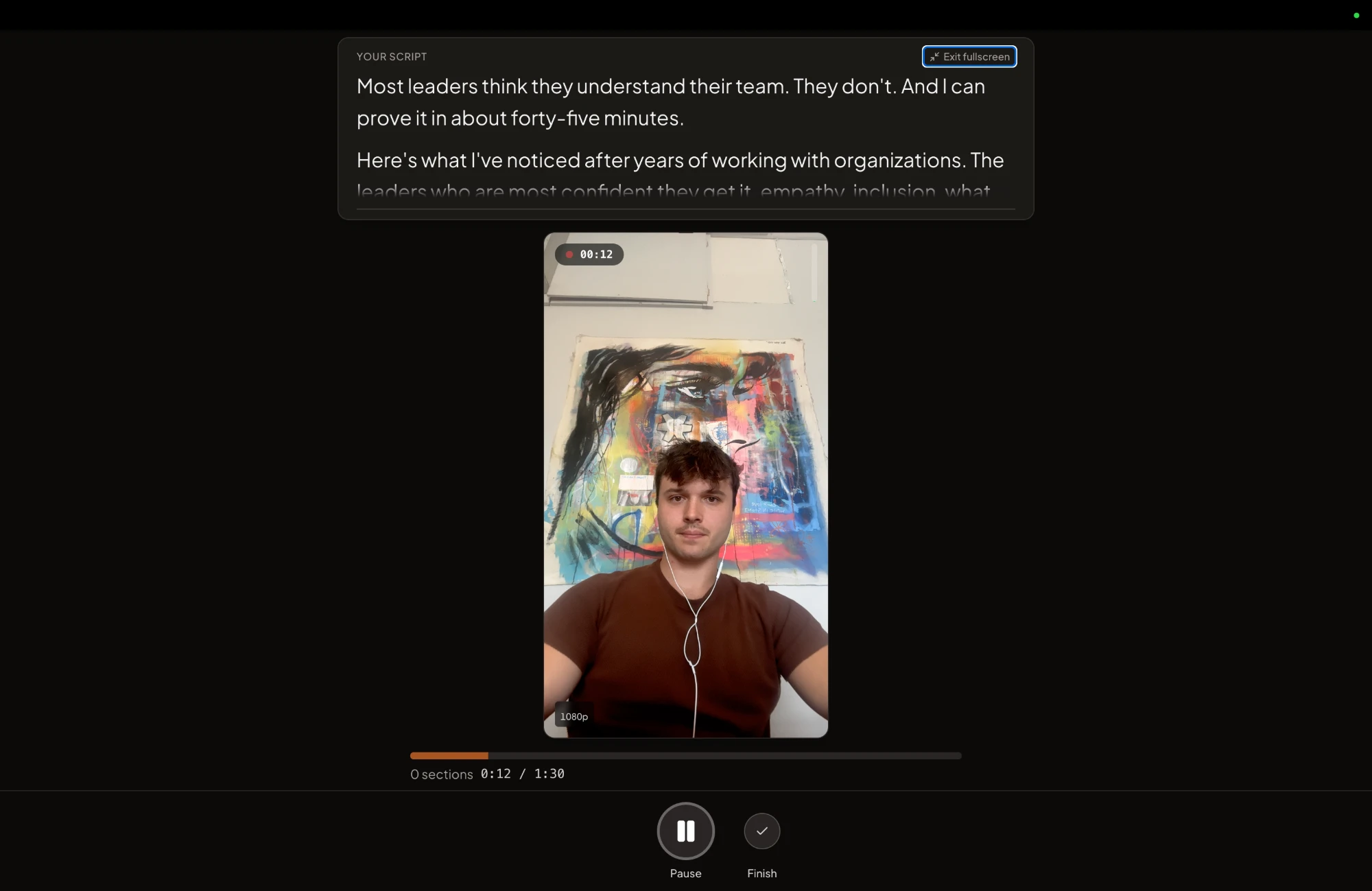
Four or five yeses: run your last webinar through OpusClip's free trial. Two or fewer: OpusClip will mostly caption videos that are already short. A no on the first question is the big one. It means your real job is making short videos from scratch. That is the job CreateSocial was built for. It turns your own material into ideas and scripts, then puts the script on a teleprompter near your camera.
Verdict: worth it for coaches who record long, not for short talking-head videos
OpusClip is a good tool with a narrow sweet spot. For a coach who already runs webinars or guests on other people's podcasts, Pro at $29 a month is worth a trial. Buy it annually once you know you'll use it every month.
Skip it if your videos are 60-second pieces straight to camera. You'd be paying per minute for a clipper with nothing to clip. Skip Starter whatever you record, because scheduling and LinkedIn sit on Pro. And if expiring credits would stress you, take those reviews at face value. Paying users got burned by them.
The deeper question is where your clients come from. If they find you through long talks, clip them. If they find you through short posts, the work is in making those posts, week after week.
How CreateSocial turns one webinar into a week of clips and posts
CreateSocial helps coaches and consultants build a personal brand that brings in clients and speaking gigs, without content taking over the week. It learns what you know and runs the whole content week with you, video and written: the ideas, the scripts, the recording, the edit, the thumbnails, the posts and the schedule. Here is last week's webinar going through it, and what happens in the weeks with nothing long to clip.
- Clean up the talk by editing its transcript. Upload the recording as an MP4, WebM or MOV file up to 2GB, or open a long video you recorded in the CreateSocial studio. Delete words and they are cut. Remove Silences clears the pauses in one click, and eye contact correction fixes your gaze.
- Pull out the clips that stand alone. On a video of 8 minutes or more, Find Clips suggests up to five standalone clips of about 15 to 90 seconds, each with a strength score. A suggestion can stitch two or three moments from different parts of the talk into one clip, so a setup and its payoff land together even when they sit half an hour apart. Clips follow your edit, so the silences and words you cut stay out. Every clip you keep becomes its own video with subtitles, in your pick of 11 styles.
- Turn the talk into written posts too. The same webinar becomes a LinkedIn post, a newsletter, an X thread, a blog post or a LinkedIn carousel you export as a PDF. Posting the full recording to YouTube? CreateSocial makes the thumbnail from your video and photos of you.
- Fill the weeks with no webinar. Your website, past videos and posts, and client stories become 80 personalized ideas a month, and Trending Now adds what your niche is talking about every Monday. Record them in Chrome or Edge on desktop or on the iPhone app, with the teleprompter near the camera, one section at a time. Or have CreateSocial write the post with no video at all.
- Schedule the week in one calendar. Schedule to TikTok, Instagram, YouTube, LinkedIn, Facebook and X, each with a caption written for that platform. Batch a month in one sitting.
Also in the one plan: a knowledge base that can pull in Notion and Google Drive too, competitor tracking, "Ask me first" questions before a script is written, Dual mode for 16:9 and 9:16 at once, screen recording with your camera as a bubble, reaction videos in Layout or Stitch mode, virtual backgrounds with or without a real green screen, platform safe-zone guides and B-roll from free stock video.
One more difference is who is on the other end. OpusClip is venture-backed. It raised $20 million in March 2025 in a round led by SoftBank's Vision Fund 2. CreateSocial is bootstrapped, built by a solo founder, Ben Moore, in Cincinnati, Ohio. That means you talk to him directly. Feature requests reach him, and a lot of what customers ask for gets built. He has also done the job you are buying software for. His agency generated millions of followers and millions of dollars in revenue for clients, and he has generated hundreds of millions of views.
It is $129 a month, or $99 a month billed annually, with no add-ons and no per-feature charges. Your next step: open last month's longest recording, start your free trial and run it through Find Clips. Schedule the clips you keep. Already tried another clipper? Put the two sets side by side and see for yourself which ones you would post. Rather talk your content plan through first? Book a free strategy call with Ben.
Questions people ask
Does OpusClip actually work?
Yes, on long recordings. Reviewers mostly praise how fast it finds clips in podcasts and webinars, and the common complaints are about credits, expiring projects and the time it takes to tidy clips. On a video under 3 minutes it has very little to find.
How much does OpusClip cost?
The free plan includes 60 credits a month, Starter is $15 a month for 150 credits, and Pro is $29 a month or $174 a year for 300 credits a month. One credit is one minute of the video you upload. Business pricing is custom.
Is OpusClip free?
There is a free plan with 60 minutes of uploads a month, but its clips carry a watermark and stop being exportable after 3 days. The free trial gives you Pro features for 7 days with no credit card, but trial exports are watermarked and you cannot post or schedule from it.
Does OpusClip leave a watermark?
Yes on the free plan and during the free trial. Paid plans export without one, so paying is how you remove it.
Is OpusClip worth paying for?
For a coach who records 30 minutes or more a few times a month, Pro at $29 is worth a trial. For someone who records short talking-head videos, it mostly adds captions to a video that is already the right length.
Is there anything better than OpusClip?
For clip volume at $29 a month, OpusClip is hard to beat. If you want clips that each stand alone and a tool that runs the rest of your content week, CreateSocial finds up to five standalone clips in any video of 8 minutes or longer, then writes your ideas, scripts and posts, records and edits your videos and schedules it all.
Is OpusClip the same as Descript?
No. Descript is an editor where you cut a video by deleting words from its transcript. OpusClip starts from the other end. It finds the clips in a long video first, then gives you an editor to tidy them.
Is OpusClip safe to use?
OpusClip says it is SOC 2 Type II compliant and is audited by an independent firm every year. If a recording shows a client, get their permission before you upload it.