

The short answer (updated October 2026):
- Riverside is the better recorder. It puts no cap on recording hours and has iPhone and Android apps. Pick it if you interview people remotely.
- Descript is the better editor. You cut the video by deleting words from its transcript. Pick it if you record alone and most of your time goes into the edit.
- Billed yearly, Riverside Pro is $24 a month. Descript Hobbyist is $16 and Creator is $24. Month to month, Riverside Pro is $35, Hobbyist $24 and Creator $35.
- Descript meters media hours and AI credits every month. Riverside's paid plans include unlimited recording and transcription, and meter separate-track downloads and credits for extras such as AI B-roll.
- Recording alone and stuck on what to say? CreateSocial, the tool we make, is a third option built for solo talking-head video. It writes the ideas and scripts, edits by transcript and schedules the posts.
You record yourself talking to a camera. Now and then a client joins you for an interview. Most Descript vs Riverside comparisons are written for podcasters, so the verdicts rarely fit you.
The verdict: Riverside records better and Descript edits better. Pick Riverside if guests join you often. Pick Descript if your hours go into the edit.
One disclosure. CreateSocial makes a competing tool, and it is the table's third column. Everything here comes from each vendor's pricing and help pages and from public reviews, all linked.
Riverside is built to record, Descript is built to edit
Riverside leads with recording. It saves each recording on your device first and uploads it to the cloud as you go. Every participant gets their own audio and video track. The point, says its recording page, is quality "regardless of internet connection."
Descript leads with editing. Its help center puts the whole idea in one line: "change the transcript, and Descript updates the underlying media automatically." Delete a sentence from the text and it is gone from the video.
Each tool now does a version of the other's job. Descript Rooms records a separate file from each participant's device and uploads it during the session. Riverside's paid plans include unlimited text-based editing.
So the useful question is narrower. Which half of the job eats your week? Our view: for a coach making short clips, it is often neither. It is the blank page before you hit record. We come back to that near the end.
Side by side, Descript and Riverside cost about the same and meter different things
The entry prices are close. What each plan counts is where they split. We added CreateSocial as a third column so you can see where it fits.
| Descript | Riverside | CreateSocial (ours) | Source | |
|---|---|---|---|---|
| Built for | Editing video by editing its transcript. Remote recording through Rooms. | Remote recording with a local track per person. Editor included. | Building a personal brand on solo video and written posts, from idea and script to scheduled post. | Descript help, Riverside, CreateSocial |
| Free plan | 60 media minutes a month, 100 one-time AI credits, 720p export with a watermark | 2 hours of multi-track recording, 720p with a watermark, unlimited single-track recording | No free plan. A free trial instead. | Descript pricing, Riverside pricing, CreateSocial pricing |
| Entry paid plan | Hobbyist: $16 a month billed yearly, $24 monthly. 10 media hours, 400 AI credits, 1080p. | Pro: $24 a month billed yearly ($288), $35 monthly. Unlimited recording hours, 4K, no watermark. | One plan: $99 a month billed annually, $129 monthly. | Descript pricing, Riverside pricing, CreateSocial pricing |
| Next plan up | Creator: $24 billed yearly, $35 monthly. 30 media hours, 800 AI credits, 4K. | Grow: $34 billed yearly, $45 monthly. Adds livestreaming and social scheduling. | None. There is one plan. | Descript pricing, Riverside pricing, CreateSocial pricing |
| Remote guests | Rooms, up to 10 people. 5 Rooms hours a month on Hobbyist, 15 on Creator. | Up to 10 people per session. Unlimited recording, with 15 hours a month of separate-track downloads on Pro. | Not offered | Descript pricing, Riverside pricing, CreateSocial |
| Editing | Edit by transcript. Remove Retakes, Shorten Word Gaps and Studio Sound. | Text-based editing. Silence and filler-word removal, eye contact correction and Magic Clips. | Edit by transcript. Remove Silences, eye contact correction, B-roll and Find Clips. | Descript pricing, Riverside pricing, CreateSocial |
| Transcription | Counts against your media hours | Unlimited on paid plans | Automatic, for subtitles in 11 styles drawn into the video. No caption file export. | Descript help, Riverside pricing, CreateSocial |
| AI metering | Monthly credits for Underlord, Studio Sound, Eye Contact and filler-word removal. Unused credits expire. | Eye contact, silence and filler-word removal are in the Pro plan. AI B-roll, translation and your AI twin use credits: 2,000 to start, then bought separately. | No per-feature charges. 80 ideas a month, and videos come from a monthly allowance. | Descript help, Riverside help, CreateSocial pricing |
| Teleprompter | Built in. Scrolls on a timer, not by voice. | Built in for the host on paid plans. Optional follow-voice mode, English only. | Built in, near the camera. Scrolls by hand or at a set speed, not by voice. | Descript help, Riverside help, CreateSocial |
| Recording on a phone | Not officially supported on phones or tablets | iPhone and Android apps, video up to 1080p on Pro | iPhone app. No Android app. | Descript help, Riverside help, Riverside pricing, CreateSocial |
Checked against each vendor's pricing and help pages on October 12, 2026. One trap on Riverside's page: its plan card shows Pro at $35 month to month, but the FAQ lower down still says $29. Older comparisons quote $29 too. Check the total at checkout.
For a solo creator, both entry plans are generous on hours. Picture a hypothetical leadership coach who posts three five-minute videos a week and shoots about 15 minutes of raw footage for each. That is roughly 13 videos and just over three hours of footage a month. It fits inside Descript Hobbyist's 10 media hours with room to spare. Riverside puts no cap on recording hours at all.
Riverside records better, and the gap is widest with guests
If anyone joins you from another city, start with Riverside. Both tools now record each guest on their own machine and upload as the session runs. The meter is what differs.
Riverside lists unlimited recording hours on every plan. Descript gives you 5 Rooms hours a month on Hobbyist and 15 on Creator. Each session also draws from your media hours, though only once per session, not once per guest. A weekly one-hour interview runs four to five hours a month. That squeaks under Hobbyist's Rooms cap until one session runs long.
Riverside meters the way out instead. Pro lets you download 15 hours a month of separate tracks, the studio-quality file for each person. Hit the cap and your recordings stay in your account, but new separate tracks wait for the next billing cycle. A weekly one-hour interview with one guest fits under it.
Solo, the recording question changes. You are reading a script to a lens. Riverside's teleprompter has a follow-voice mode that scrolls line by line as you read. It holds its place when you pause or go off script, and it works in English only. Descript's teleprompter runs on a timer. In Descript's own words, it "does not respond to your voice." If you read scripts and hate picking a speed, that is a real point for Riverside.
Riverside also records on a phone. It has iPhone and Android apps, with mobile video up to 1080p on Pro. Descript's system requirements say it is not officially supported on phones or tablets, and Rooms is not supported on mobile either.
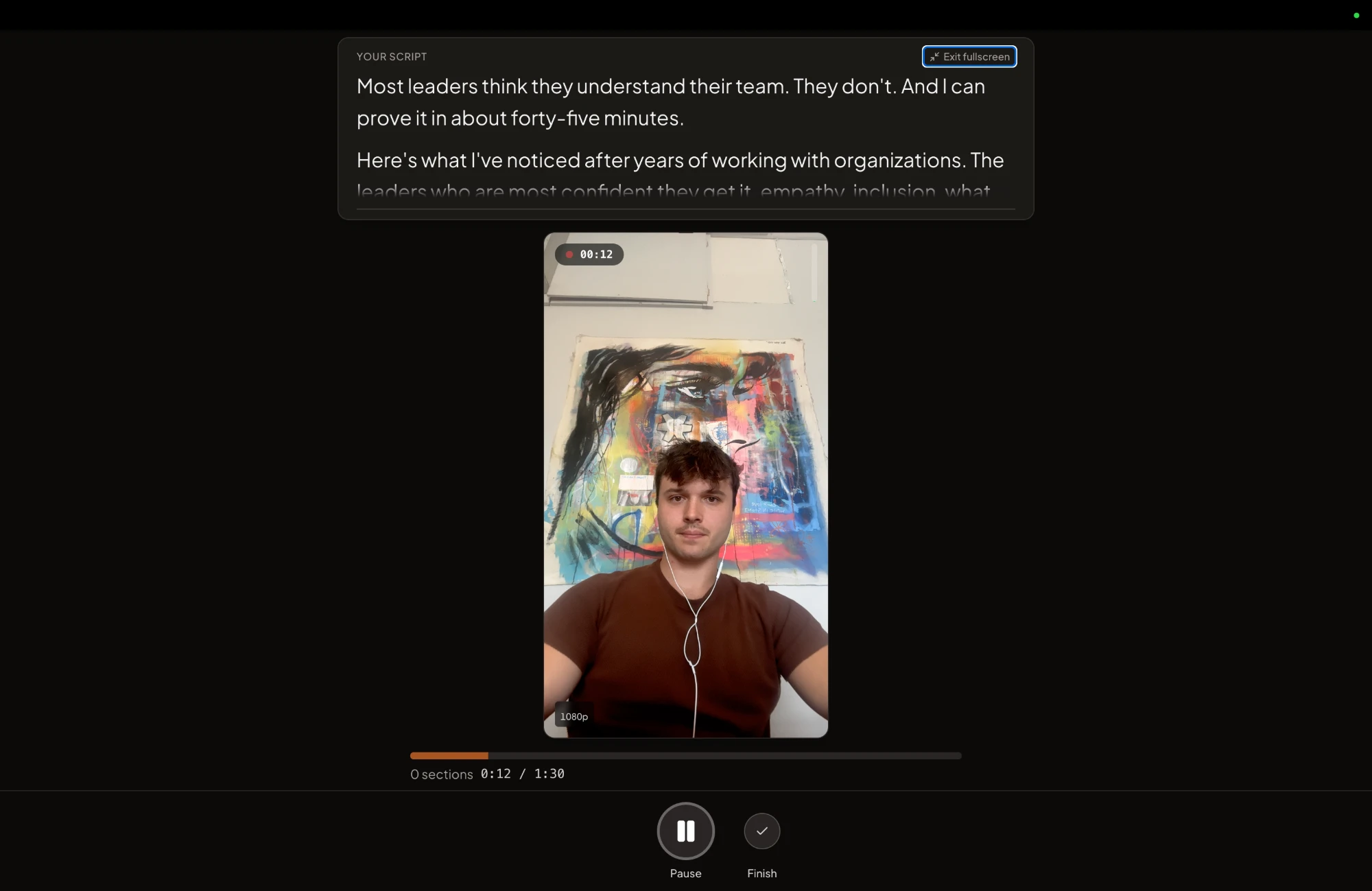
CreateSocial, the tool we make, handles solo takes a third way. It records in desktop Chrome or Edge and on an iPhone app. The teleprompter sits near the camera and scrolls by hand or at a speed you set. Its answer to the fumbled line is recording in sections. Fluff a line and you redo that one section, not the take.
Descript has the deeper editor, and a short clip rarely needs it
Descript's editor goes further with messy footage. Its plan list includes Remove Retakes ("Cut all but your best takes"), Shorten Word Gaps, Edit for Clarity and Studio Sound, which cleans up a noisy room. If you record long, ramble and fix it later, those tools earn their keep. Our Descript review goes through them for talking-head work.
Riverside's Pro plan covers the shorter list. It has text-based editing, silence and filler-word removal, eye contact correction, animated captions and Magic Clips, which pull shareable clips from your best moments. Its Co-Creator assistant takes typed requests to polish audio and video or draft platform assets.
A five-minute talking-head clip needs about four jobs done. Cut the stumbles, tighten the pauses, add captions and fix your eye line. Both editors do all four. Paying for depth you never open is an easy way to overspend.
That short list is also what CreateSocial's editor is built around. You cut by deleting words from the transcript, just as in Descript. Silences go in one click, eye contact correction fixes your gaze, Visuals adds B-roll, and subtitles come in 11 styles. Our guide to editing talking-head videos faster walks through the order. For eye contact on its own, see how eye contact correction tools compare.
Descript's AI costs are harder to predict than Riverside's
Descript charges AI credits for most of its smart tools, and its AI co-editor, Underlord, has no fixed price. Its help center says it directly: "There's no fixed price per action." Even chatting with Underlord uses a few credits. Unused credits do not roll over.
Some costs are capped. Studio Sound and Remove Filler Words top out at 30 credits per use. Hobbyist includes 400 credits a month and cannot buy top-ups. Creator includes 800 and can.
Riverside meters less. On Pro, transcription, eye contact and silence removal sit inside the plan. Credits cover extras. Riverside's credits page prices AI B-roll at 100 credits for 5 seconds, and translation at 100 credits a minute. Paid plans start with 2,000 credits, or 100 seconds of AI B-roll. More credits are bought separately and do not renew each month.
Predictable beats clever when you post every week. You should know what a Tuesday edit costs before you start it. If you pick Descript, apply tools yourself for routine cuts, where the cost scales with the job. Save Underlord for the jobs that justify it.
Users rate Riverside higher, and Descript's complaints center on credits
On Trustpilot in October 2026, Riverside scored 3.8 out of 5 from 522 reviews. Descript scored 2.6 from 290. Reviewers pick themselves, so read both as a mood check.
Many of Descript's recent one-star reviews are about the AI editor and credits. One reviewer wrote that it "Burned through 800 credits just trying to clean up filler pauses on a short reel, and it kept deleting actual words out of the hook". Another wrote: "The AI bot wastes the credits on edits that aren't what I asked for."
Its fans praise the core idea instead. "I LOVE the editing via text feature, eye contact feature, removing filler, editing pauses (via the script)", one wrote.
Riverside's fans talk about ease. A podcaster wrote: "Being a Pro user really pays off, especially with lifesavers like Magic Audio, Smart Mute, and text-based editing." Another called it "Excellent for easy non technical video editing."
Both pages share one complaint. A Riverside reviewer accused it of "Deliberately making it difficult to cancel", and a Descript reviewer wrote that canceling is "extremely difficult". Find the cancel button on day one, whichever you choose.
Pick Riverside if you record guests, pick Descript if you live in the edit
Pick Riverside if:
- You interview clients, peers or guests remotely, and their audio has to hold up.
- You want to record on your phone, including Android.
- You read scripts in English and want the prompter to keep pace with your voice.
- You want eye contact and silence removal without spending credits.
Pick Descript if:
- You record alone at a desk and edit long or messy takes.
- You want the cheapest watermark-free plan of the two.
- Editing in a document feels natural, and you want retake and word-gap tools.
- You will watch your credits and keep AI edits for the big jobs.
Still torn? Look back at last month. How many videos did you post? How long did the raw takes run? How many had a guest? Match those three numbers to the table above, and the choice usually makes itself.
You can also use both. Record in Riverside and edit in Descript. Descript's Edit in Descript import lists Riverside as a partner, though it is still in beta. That setup costs two subscriptions, so try it only if a guest show is your main format.
If the show mostly feeds your social posts, there is a third pairing. Record in Riverside, then upload the episode to CreateSocial as an MP4, WebM or MOV file up to 2GB. On any video of eight minutes or more, Find Clips suggests up to five standalone clips of about 15 to 90 seconds, each with a strength score. A thin episode gets fewer suggestions. We do not pad the list with weak moments. Each clip you keep becomes its own video with subtitles.
Weighing other editors too? Our Descript alternatives for talking-head video covers the wider field. If the script is the slow part, start with our video script template. It works with any of the three tools.
How CreateSocial runs a solo creator's whole content week
CreateSocial helps coaches, consultants and founders build a personal brand that brings in clients, speaking gigs and customers, without content taking over the week. It learns what you know and runs the whole content week with you, video and written: the ideas, the scripts, the recording, the edit, the thumbnails, the posts and the schedule. Here is a solo creator's week inside it.
- Start the week with something worth saying. Add your website, past videos and posts, and client stories to your knowledge base. CreateSocial turns them into 80 personalized ideas a month, with hooks, talking points or full scripts. Trending Now adds what your niche is talking about every Monday, and competitor tracking brings in new posts from the profiles you follow.
- Record alone without starting over. The studio runs in desktop Chrome or Edge and on the iPhone app, with the teleprompter near the camera. Read a full script, or talking points with the current bullet highlighted, and redo one section at a time. Dual mode frames 16:9 and 9:16 at once, so one take feeds YouTube and Reels. CreateSocial does not record remote guests, so interviews come in as an upload from Riverside or Descript Rooms.
- Edit the way Descript does, by transcript. Delete words and they are cut. Remove Silences, eye contact correction, B-roll and subtitles in 11 styles sit in the same editor. Then CreateSocial makes the YouTube thumbnail from your video and photos of you, three at a time.
- Turn one take into a week of posts. The video becomes a LinkedIn post, an X thread, a blog post, a newsletter or a LinkedIn carousel you export as a PDF. On days you don't record, CreateSocial writes those posts with no video at all.
- Plan the week in one calendar. Schedule to TikTok, Instagram, YouTube, LinkedIn, Facebook and X, each with a caption written for that platform. Batch a month in one sitting.
Also in the one plan: "Ask me first" questions before a script is written, Find Clips for pulling standalone clips out of a long video, screen recording with your camera as a bubble, reaction videos in Layout or Stitch mode, virtual backgrounds with or without a real green screen and platform safe-zone guides.
The last difference is who you deal with. Descript and Riverside are both venture-backed. Descript, founded in 2017 by former Groupon CEO Andrew Mason, raised a $50 million Series C led by the OpenAI Startup Fund in November 2022. Riverside raised a $35 million Series B in April 2022. CreateSocial is bootstrapped by a solo founder, Ben Moore, in Cincinnati, Ohio. You talk to him directly, your feature requests go to him, and a lot of what customers ask for gets built. Before CreateSocial, his agency generated millions of followers and millions of dollars in revenue for clients, and he has generated hundreds of millions of views.
It is $129 a month, or $99 a month billed annually, with no add-ons and no per-feature charges. That one plan covers the ideas, the studio, the editor, the written posts and the calendar. Start your free trial and take one idea from script to scheduled post this week. Rather talk your setup through first? Book a free strategy call with Ben.
Questions people ask
How much does Descript cost per month?
Descript Hobbyist is $24 a month, or $16 a month billed yearly. Creator is $35 a month, or $24 billed yearly. The free plan gives you 60 media minutes a month and puts a watermark on exports.
How much does Riverside cost per month?
Riverside Pro is $35 a month, or $24 a month billed yearly. Grow, which adds livestreaming and social scheduling, is $45 a month or $34 billed yearly. There is also a free plan.
Is Descript really worth it?
For a solo creator who spends most of their time editing, often yes. You edit by deleting words from a transcript, and Hobbyist costs $16 a month billed yearly. The risk is AI credits, which do not roll over and have no fixed price per Underlord request.
Is Descript a legit company?
Yes. Descript was founded in 2017 by Andrew Mason, the former CEO of Groupon. In November 2022 it raised a $50 million Series C led by the OpenAI Startup Fund.
Can Descript record remote guests?
Yes. Descript Rooms records up to 10 people in the browser on a desktop or laptop and keeps a separate file for each. Rooms time is capped by plan, at 5 hours a month on Hobbyist and 15 on Creator.
What is the best way to record a podcast with remote guests?
Record each person on their own device, so a weak connection does not ruin the file. Riverside and Descript Rooms both work this way and upload each track during the session.
Can you use Riverside and Descript together?
Yes. Descript's Edit in Descript import, which is still in beta, lists Riverside as a partner. You can record in Riverside and send the files to Descript to edit.
Does Riverside have a free plan?
Yes. It includes 2 hours of multi-track recording, 720p video with a Riverside watermark, and unlimited single-track recording and editing.