

The short answer (updated October 2026):
- Post plain-English answers to what people ask before they hire a lawyer: explainers, the questions clients ask, the process, myths and what happens at the first consultation.
- Aim at the right viewers, not more viewers. Say your practice and your city in every post, so the person in your county who needs you knows it's for them.
- Lead where your clients are. Facebook and YouTube reach people over 50. Instagram, TikTok and YouTube reach people under 30. LinkedIn reaches the lawyers and advisors who refer to you. Then put every video everywhere.
- Borrow formats that already work: the flipped list, the ranking and the reaction video.
- Three videos a week plus one LinkedIn post for referrers is enough. Record all 12 videos in one afternoon a month.
You know clients look you up before they call. You also bill by the hour. A post that gets views and no calls is an hour you don't get back.
Social media wins clients for a lawyer when each post answers a question people in your area ask before they hire one, on the platform those people use. Here are the platforms by practice area, seven post types with hooks to steal, two scripts to fill in, and a month planned out for an estate-planning practice.
The right viewers beat more viewers, so aim at the client in your county
A post works when the person who would hire you, in the place you practice, sees it and calls. Everyone else is noise. I call this qualified attention: ten thousand of the wrong followers bring zero clients.
Take a criminal defense lawyer who practices in one county. A video with 100,000 views from across the country does nothing for them. They need the parent in that county who is awake at midnight because their son was arrested a few hours ago. That parent will call someone in the morning. Every post has one job: make sure it's you.
Compare two hooks:
- "Five things everyone should know about their rights"
- "[County] parents: if your son was arrested tonight, here is what happens at his first hearing"
The first gets more views. The second gets the call. It names the person, the moment and the place, so the right parent knows in two seconds that it's for them. Put your practice and your city in the hook, the caption and your profile, every time.
Before each post, ask the two questions I ask in my video on landing paid speaking gigs: "Who exactly is this for? And what do I want them to do after they watch it?" If the honest answer is "follow me," think again. For a lawyer, the answer you want is "call, because this lawyer gets what we're going through."
Lead where your clients are, then put every video everywhere
Lead with the platform your clients already use, write for referrers on LinkedIn, and post every video everywhere. In the ABA's 2024 Solo and Small Firm TechReport, 70% of solo lawyers had a LinkedIn presence and 63% were on Facebook. Being there isn't the hard part. Posting the right thing for the right person is.
The table pairs six practice areas with platforms, using Pew Research Center's survey of 5,511 U.S. adults, published October 19, 2026. The client groups are our read of who each practice is trying to reach.
| Practice area | Clients to reach | Start with | Share of that group using the platform | Source |
|---|---|---|---|---|
| Estate planning | People over 50, and their adult children | Facebook and YouTube, plus LinkedIn for referrers | Facebook: 71% of ages 50 to 64, 59% of 65 and over. YouTube: 85% and 65%. | Pew, 2026 |
| Family law | Adults 30 to 49 | Facebook, Instagram and YouTube | Ages 30 to 49: YouTube 91%, Facebook 78%, Instagram 64% | Pew, 2026 |
| Criminal defense | Defendants, and the parents or partners who call for them | Instagram, TikTok and YouTube, plus Facebook for parents | Ages 18 to 29: YouTube 95%, Instagram 79%, TikTok 65% | Pew, 2026 |
| Personal injury | Anyone in your area after an accident | YouTube and Facebook first | All U.S. adults: YouTube 84%, Facebook 70% | Pew, 2026 |
| Immigration | Immigrant families, often in two languages | YouTube, Facebook, Instagram and TikTok, in your clients' language | Hispanic adults: YouTube 85%, Facebook 70%, Instagram 60%, TikTok 53% | Pew, 2026 |
| Business law | Owners, founders and their accountants | LinkedIn and YouTube | LinkedIn: 51% of college graduates, 31% of all adults | Pew, 2026 |
For most consumer practices, LinkedIn is a referral channel, not a client channel. In Pew's numbers, only 13% of adults 65 and over use LinkedIn, against 59% on Facebook. But 51% of college graduates use it, and that group includes the lawyers, accountants and financial advisors who send you work. An estate planner's clients are on Facebook. The people who refer them are on LinkedIn.
Then don't stop at one platform. "A lot of people say, 'Oh, only LinkedIn works for my industry.' Which is just not true," I say in my speaking-gigs video. You don't control where a client or a referrer scrolls, so one recording should reach all of them. Lead on the platform in the table, post the same video to the rest, and turn its argument into a LinkedIn post for the people who refer.
Post what people ask before they hire a lawyer, in four kinds of post
Five post types answer what people ask before they hire a lawyer: explainers, client questions, the process, myths and the first consultation. Add a pattern you see across many cases and a post about why you do this work. Now you have all four kinds of post in my weekly content plan: authority, proof, process and personal. Make one of each kind a week.
| Post | Kind | A hook to steal |
|---|---|---|
| A plain-English explainer of one legal term | Authority | Criminal defense: "What an arraignment is, and what happens at yours" |
| The question clients ask every week | Authority | Family law: "Will I have to go to court for my divorce?" |
| A myth you correct in every consultation | Authority | Business law: "Myth or fact: forming an LLC means you can never be sued personally" |
| The process, step by step | Process | Personal injury: "From the crash to the settlement check: every step of an injury claim" |
| The first consultation | Process | Immigration: "Your first 30 minutes with me, and the documents to bring" |
| A pattern you see across many cases | Proof | Estate planning: "The mistake I see again and again in do-it-yourself wills" |
| Why you do this work, and how | Personal | Any practice: "Why I only take [practice area] cases" |
Each kind calms a different worry. Authority shows you know the law. Process takes the fear out of the first call, because a scared person can see exactly what happens next. Proof says you've seen their problem before. Personal is the post people quote back to you on the phone. Skip the stock gavel photo and the holiday graphic. Neither answers anything.
Proof for a lawyer is a pattern across many cases, or a public win like an appeal you argued. Keep client details out of every post, and run anything about results or reviews past your state bar's advertising rules first.
You already have the raw material. Your FAQ page is a list of client questions, and each practice-area page is an explainer. CreateSocial scans your website so you can pick those pages for your knowledge base, then turns them into post ideas built on what you've already written. Its Your Topics list rotates your practice areas, the one you've covered least recently first, so wills don't crowd out trusts and probate.
Hooks for six practice areas, and the formats that keep working
Here are two hooks for each of six practices. Each one names the person and the moment, and the place where it fits.
Criminal defense
  "[County] parents: if your son was arrested tonight, watch this."
  "The first court date after an arrest, in 60 seconds."

Family law
  "Thinking about divorce in [state]? Here's what the first month looks like."
  "What happens to the house when you split up."

Estate planning
  "If your parents are over 70 and you've never seen their will, send them this."
  "Who looks after my kids if something happens to both of us?"

Personal injury
  "Hurt in a crash in [city]? Here's every step from here."
  "The insurance company called. Here's what that call is for."

Immigration
  "Got a letter from [agency] and don't know what it means? Start here."
  "What to bring to your first meeting with an immigration lawyer."

Business law
  "Starting a business with a partner in [state]? Have this talk first."
  "The contract clause I ask every new client about."
Don't guess at topics. Steal the ones that already work. My test, from my speaking-gigs video: search your client's problem on YouTube and look for videos with far more views than the channel has subscribers. "When you see that gap, it means the topic's doing the work, not just the creator." Make your version, with your take.
Borrow the format too. In the same video, I name three that already work: the flipped list, the ranking and the reaction video. A flipped list turns advice inside out. My example is "four ways to get your best employee to leave." A family lawyer's version is "4 ways to make your divorce cost twice as much." A ranking might be "Estate-planning documents, ranked by what it costs your family to skip them." People love to argue with a ranking, so they comment. A reaction video answers something people already watched, like a viral do-it-yourself will video.
Two scripts to fill in: the midnight answer and your pinned intro
This script is for the midnight parent. Each part is its own section, so a stumble means redoing one line. Fill the brackets with your county's facts.
60-second script: "[County] parents: if your son was arrested tonight"

Section 1, the hook (5 seconds)
"[County] parents: if your son or daughter was arrested tonight,
here's what happens next, and what you can do."

Section 2, where they are now (15 seconds)
"Right now they're probably being booked at [county jail].
[What booking means there, and how long it usually takes.]"

Section 3, the first hearing (15 seconds)
"The first court date is usually [when, in your state].
That's where a judge decides [what is decided there]."

Section 4, what you can do tonight (15 seconds)
"Tonight, you can [one or two general steps]."

Section 5, the next step (10 seconds)
"I'm [name], a criminal defense lawyer in [city].
If this is your family, call [number]. You'll talk to me."
The second script is your pinned intro. I call this decision content in my video How to Build an Audience That Actually Buys From You: content that "removes the final objection," and the kind almost nobody makes. For a lawyer, that's this intro, the first-consultation video and the one about what your fee covers. Make all three in your first month.
45-second intro video (pin it to the top of your profile)

"I'm [name], a [practice area] lawyer in [city].

I help [who] when [the moment it gets hard].

Most people who call me are [their situation]. The first thing
they want to know is [the question]. The short answer is
[one plain-English sentence].

Every case is different, so the next step is a conversation.
[Book a consultation at the link / Call (number)].
You'll talk to me."
Write it the way you'd say it across the desk. If a sentence needs a footnote, it's too long for a 60-second video. How to write a video script has a longer template with three filled-in examples.
Record a month of these in one afternoon, and pick the questions on a different day. Recording day shouldn't be thinking day: decide and perform at once, and the deciding comes out as "um" on camera. Our marketing guide for lawyers lays out that afternoon for a firm.
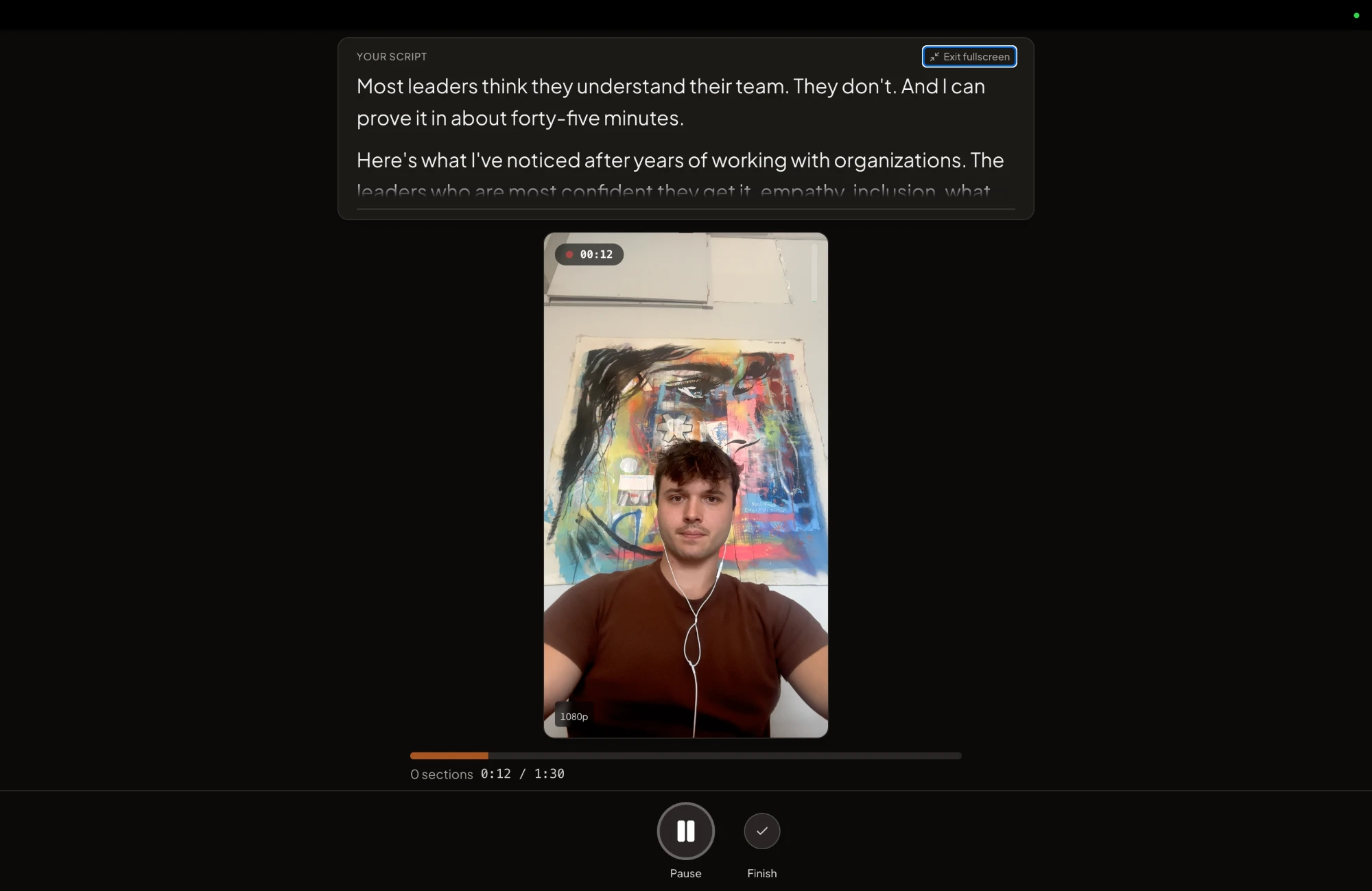
The afternoon itself is what CreateSocial's studio is built for. Your script or talking points sit on a teleprompter near the camera, each part of the video is its own section, and a stumble means one tap to retake that section.
A month of posts for a hypothetical estate-planning attorney
Here is a filled-in month for a solo estate-planning attorney. Three videos a week go to Facebook and YouTube, for clients over 50 and their adult children. One post a week goes to LinkedIn, for the advisors, accountants and lawyers who refer them. Every week has one post of each kind, and every video also goes to the other platforms from the same recording.
| Week | Post | Kind | Format and where | Goal |
|---|---|---|---|---|
| 1 | "What probate is, in 60 seconds" | Authority | 60-second video, YouTube Shorts and Facebook | An explainer a referrer can forward |
| 1 | "The mistake I see again and again in do-it-yourself wills" | Proof | 90-second video, Facebook and YouTube | Comments asking about their own will |
| 1 | "Why I only do estate planning" | Personal | 60-second video, Facebook and YouTube | They know who they'd be calling |
| 1 | "The three questions I ask every client an advisor sends me" | Process | Written post, LinkedIn | Advisors see what happens after a handoff |
| 2 | "What happens in our first meeting, and what it costs" | Process | 90-second video, YouTube and Facebook | A booked consultation |
| 2 | "Do I need a trust, or is a will enough?" | Authority | 3-minute video, YouTube and Facebook | Found by people searching that exact question |
| 2 | "A pattern I see in families who never talked about the will" | Proof | 60-second video, Facebook | Shared with a brother or sister |
| 2 | "Why I started my own practice" | Personal | Written post, LinkedIn | Referrers remember a person, not a firm |
| 3 | "Myth or fact: if you die without a will, the state takes everything" | Authority | 60-second video, Facebook and YouTube Shorts | Saved and shared |
| 3 | "The first week after a parent dies: what to do now and what can wait" | Process | 3-minute video, YouTube and Facebook | Found by adult children in the hardest week |
| 3 | "Why you'll talk to me, not an assistant" | Personal | 60-second video, Facebook and YouTube | The first call feels safe |
| 3 | "What changes for an advisor's client once the plan is signed" | Proof | Written post, LinkedIn | Advisors bring you up with their clients |
| 4 | "An estate-planning checklist accountants can hand clients at tax time" | Authority | Carousel, LinkedIn | Accountants keep it and pass it on |
| 4 | "What our flat fee covers, and what it doesn't" | Process | 90-second video, YouTube and Facebook | A booked consultation |
| 4 | "Three things grown children tell me they wish their parents had done" | Proof | 60-second video, Facebook | Sent by children to their parents |
| 4 | "What this work taught me about my own family's plan" | Personal | 60-second video, Facebook and YouTube | Trust before the first call |
That's 12 videos from one recording afternoon, plus four LinkedIn pieces with no camera at all. Look at the goal column. Every post has a job, and "get views" isn't one of them.
Then schedule the month in one sitting. With CreateSocial, each post gets a caption written for its platform, and we post it for you at the times you picked once your accounts are connected. The week 4 carousel exports as a PDF, ready for a LinkedIn document post.
Post for the lawyers who refer to you, on LinkedIn
Your LinkedIn posts are for referrers, and each one should hand them a sentence they can repeat about you. Content is the engine under every other client channel makes the case: most referrals die between "you should talk to my estate lawyer" and the call. An accountant who can forward your 60-second probate video doesn't have to write a word.
Four posts give referrers that sentence. Say which cases you take and which you send elsewhere. Show what happens to their client after the handoff. Make a short explainer they can forward. And explain a change in your area of law for lawyers who don't practice it. Here is the first one, ready to copy:
Who I'm a good referral for:

[Type of client] who need [the matter you handle],
especially when [the moment it gets hard].

Who I send elsewhere:
[Matters you don't take]. Those go to [type of lawyer].

When you send someone my way, they'll hear from me
within [time], and they'll deal with me directly.

If that sounds like someone on your desk this week,
call me at [phone].
CreateSocial writes LinkedIn posts like this one with no video at all, from your own material. It also turns any video from the month into a LinkedIn post, so every recording feeds your referrers too.
Every post ends with one next step, and Friday counts the calls
A post alone books nothing. It needs the chain from a post to a booked call: a profile that says who you help and where, a post that asks for one small step, a same-day reply to every comment and message, then a phone call instead of a long intake form. "A 15-minute call does more than 20 messages," I say in the speaking-gigs video. Marketing for lawyers sets up each link for a firm, with a profile you can copy.
Then judge it by the calls it brings. Ask "How did you hear about us?" on every first call, and each Friday count the requests by the post that brought them. Make more of whatever brought calls. A video with 400 views and two consultation requests beats one with 40,000 views and none. Give it three to six months before you decide anything. The firm-wide plan has the weekly routine and a Friday sheet to fill in.
How CreateSocial runs a law practice's content month
CreateSocial helps lawyers build a personal brand that brings in clients, referrals and speaking invitations, without content taking over the hours you bill. It learns what you know from your own website and writing, then runs the whole content week, video and written: ideas, scripts, posts, recording, editing, thumbnails and scheduling. Here is the month above, inside it.
- The month's questions are already written. Scan your site and add your practice-area pages, FAQ and articles to your knowledge base. You get 80 personalized ideas a month from them, each with a hook and talking points or a full script. Trending Now adds what your area of law is talking about every Monday, competitor tracking brings in new posts from profiles you follow, and "Ask me first" asks you a few questions before it writes, so the script uses your real answer.
- Recording day fits in one afternoon. Read from the teleprompter at your desk or on the iPhone app, and record in sections with one-tap retakes. Dual mode frames 16:9 and 9:16 at once, so one take covers YouTube and Reels. Want to answer that viral do-it-yourself will video? Record a reaction video, in Layout or Stitch.
- Editing is mostly deleting words. Delete them from the transcript and they're cut from the video. Remove Silences takes out the pauses in one click, eye contact correction keeps your gaze on the viewer, and subtitles in 11 styles are drawn into the video for people watching with the sound off.
- Referral posts need no camera. CreateSocial writes LinkedIn posts, X threads, blog posts of 1,500 words or more, emails to your list and LinkedIn carousels with PDF and PNG export, like the accountants' checklist in week 4.
- The month goes out from one calendar. Schedule to TikTok, Instagram, YouTube, LinkedIn, Facebook and X, each with its own caption, and we post it for you once your accounts are connected. A 16:9 YouTube video goes up with the custom thumbnail you picked.
- Friday's count gets a second column. The Analytics page tracks followers, views, likes, comments and shares on your connected TikTok, Instagram, YouTube, LinkedIn and Facebook accounts, so you can set reach next to the calls.
Also in the one plan: Find Clips, which finds standalone short clips in a recorded CLE talk or webinar, YouTube thumbnails made from your video and photos of you, screen recording with your camera as a bubble for walking through a form or a timeline, green screen and virtual backgrounds with or without a real green screen, platform safe-zone guides and B-roll from free stock video.
Your clients get the lawyer whose name is on the door. The same goes here. I'm Ben Moore, and I built CreateSocial on my own, bootstrapped, here in Cincinnati, Ohio, so you talk to me directly. Feature requests come to me, and a lot of what customers ask for gets built. Before CreateSocial, my agency generated millions of followers and millions of dollars in revenue for its clients, and I've generated hundreds of millions of views.
It is $129 a month, or $99 a month billed annually, with no add-ons and no per-feature charges. Start your free trial and plan your first month this week. Want the month built around your practice area first? Book a free strategy call with me.
Record your first explainer this week
- Open your FAQ page and pick the question people in your county ask most.
- Write a hook that names who it's for, the moment and the place.
- Add three talking points and a close with one next step.
- Record it in sections, add subtitles and post it on the platform the table gives your practice, then everywhere else.
- On Friday, count the calls.
Next week, film what happens at your first consultation. A free CreateSocial trial gives you the ideas, the teleprompter and the schedule for both.
Questions people ask
Do lawyers need social media?
No rule says you must. But most solo lawyers are already there: in the ABA's 2024 Solo and Small Firm TechReport, 70% had a LinkedIn presence. What sets you apart is answering the questions people ask before they hire a lawyer, so someone searching their problem finds you first.
What should lawyers post on social media?
Answer the questions people ask before they hire a lawyer. Plain-English explainers, the questions clients ask, the process step by step, common myths and what happens at the first consultation work in every practice area. Add a pattern you see across many cases and a post about why you do this work.
What social media platforms do lawyers use?
In the ABA's 2024 Solo and Small Firm TechReport, 70% of solo lawyers had a LinkedIn presence and 63% were on Facebook. Lead with the platform your clients use: Facebook and YouTube for older clients, Instagram, TikTok and YouTube for younger ones, and LinkedIn for the lawyers and advisors who refer work. Then post every video on the rest too.
Should lawyers be on TikTok?
If your clients are young, yes. Pew's 2026 survey found 65% of U.S. adults aged 18 to 29 use TikTok, which suits criminal defense and many immigration practices. An estate planner reaches more of their clients on Facebook and YouTube, so TikTok gets the same videos but not the lead.
What should a lawyer post on LinkedIn?
Post for the lawyers, accountants and advisors who refer to you. Say which cases you take and which you send elsewhere, what happens to a client after the handoff, and short explainers they can forward to their own clients.
How often should a lawyer post on social media?
Three videos a week for clients and one LinkedIn post a week for referrers is a pace a solo lawyer can keep. Record the month's videos in one afternoon, so posting every week never means filming every week.