

The short answer (updated November 2026):
- Social media for realtors works by keeping you the agent people think of when they, or a friend, get ready to sell. In NAR's 2025 Generational Trends report, 66% of sellers hired a referral or an agent they had used before, and 81% contacted only one agent.
- Post mostly for owners: what you'd fix before listing, how you'd price a house and your first two weeks on the market. Those match what sellers told NAR they want most.
- Add neighborhood videos, listing walkthroughs shot room by room and a monthly market update. Turn your listing presentation into carousels.
- Lead with Facebook and YouTube for homeowners and Instagram for younger buyers, then post every video everywhere.
- Film the month in two sessions, text one video a week to past clients and count listing appointments every Friday.
You post Just Listed graphics and market stats. The likes come from other agents, and your listings still come from people who already knew you.
That's the clue. Social media for realtors wins listings by keeping you the one agent past clients and their friends think of when it's time to sell. So post what an owner wants to see before hiring anyone: what you'd fix, how you'd price, how you'd sell. You get 10 video scripts with hooks, a phone walkthrough shot list, the text you send past clients and a filled-in month.
Social media wins listings by keeping you the one agent people call
Most listings go to an agent the seller already knows, or to one a friend names. The National Association of REALTORS asked recent sellers how they found their agent for its 2025 Home Buyers and Sellers Generational Trends report. Sixty-six percent used a referral or an agent they'd worked with before. Then most stopped looking.
| How the agent got hired | Sellers | Buyers | Source |
|---|---|---|---|
| Referred by a friend, neighbor or relative | 38% | 40% | NAR 2025 Generational Trends, Exh. 7-1 and 4-4 |
| Went back to an agent they'd used before | 28% | 17% | NAR 2025 Generational Trends, Exh. 7-1 and 4-4 |
| Saw the agent's social media page with no prior connection | 1% | 1% | NAR 2025 Generational Trends, Exh. 7-1 and 4-4 |
| Talked to only one agent | 81% contacted one | 75% interviewed one | NAR 2025 Generational Trends, Exh. 7-2 and 4-6 |
Checked against NAR's report on November 2, 2026.
Read that 1% too fast and you'd quit posting. When r/realtors asked in October 2026 how important social media is for bringing in business, the top-voted reply was one word: "Not." NAR's survey of 1,241 members says otherwise. In its 2025 REALTORS Technology Survey, 39% said social media brought them more quality leads than any other technology, ahead of their CRM (23%) and their local MLS (17%).
The 1% and the 39% fit together, because social media does two jobs that never get counted as "found you online." It keeps past clients saying your name when a neighbor mentions selling. And it's what the referred seller checks before they call. One agent in that thread put it plainly: "I assume that at some point the client will Google me to see who is in their kitchen."
The hard part is the wait. In NAR's 2026 Generational Trends report, sellers had typically stayed in their homes 11 years before selling. A holiday card won't hold your spot for a decade. A video in their feed every week can.
That's why content is the engine under every other channel, referrals included. Door knocking and cold calls are cold traffic, and as I put it in my video on the five client channels, "cold traffic pays you this month. Content pays you every month after that."
Post for the owners who will sell next, not only for buyers
Listings come from owners, so most of your posts should talk to people who own a home in your area. Many agent feeds talk to buyers instead. The agent who expects to be Googled says, "My entire feed is Just Listed and Just Sold posts."
Just Listed posts prove you're busy. They don't show an owner how you'd handle their house. Sellers told NAR what they want most from a listing agent, and each answer is a video you can film:
| What sellers want most from their agent | Share | The video that answers it | Source |
|---|---|---|---|
| Help marketing the home to buyers | 22% | A listing walkthrough (script 8) | NAR 2025 Generational Trends, Exh. 7-6 |
| Help pricing it competitively | 20% | How I'd price this house (script 2) | NAR 2025 Generational Trends, Exh. 7-6 |
| Help selling within a set timeframe | 18% | Your first two weeks on the market (script 4) | NAR 2025 Generational Trends, Exh. 7-6 |
| Help finding fixes that sell it for more | 15% | What I'd fix before listing (script 1) | NAR 2025 Generational Trends, Exh. 7-6 |
NAR's newer 2025 Profile of Home Buyers and Sellers names the same top three: marketing, pricing and timing.
Sellers also hire on trust. In the 2025 Generational Trends report, reputation was the top reason sellers picked their agent, at 35%, with honesty next at 21%. You can't post a reputation. You can let an owner watch you think about a house like theirs. "This is a relationship business. Someone watching you think and talk for 10 minutes on YouTube is about as close as you get to grabbing a coffee with them," as I say in my speaking-gigs video.
I call this qualified attention: the right viewers beat more viewers. Two hundred owners in your farm area who see you every week beat 20,000 views from agents in other states. Before you film, ask who the video is for and what they should do next. "East-side owners who might sell next year, and text me for a fix list" is an answer. "Everyone" isn't.
Four kinds of video do the work, and each has a home platform
Four kinds of real estate video cover the whole job: seller decisions, neighborhoods, listing walkthroughs and market numbers. Each finds a different viewer and proves something different about you.
| Video | Who it's for | What it proves | Lead with |
|---|---|---|---|
| Seller decision (fix, price, timing) | Owners who might sell in the next year or two | You'd prepare, price and sell their home well | Facebook and YouTube |
| Neighborhood | People moving to your town, or within it | You know the place street by street | YouTube and Instagram |
| Listing walkthrough | Buyers now, and the next seller watching how you market | Your listings get real marketing | Instagram, Facebook and TikTok |
| Market numbers | Owners and investors who like a number | You read the market plainly | Facebook, YouTube and LinkedIn |
The platform column is our read of who's where. Owners skew older: Baby Boomers made up 55% of home sellers in NAR's 2026 Generational Trends report. In Pew Research Center's 2026 survey, 71% of adults aged 50 to 64 used Facebook and 85% used YouTube. Buyers lean younger, and 79% of adults under 30 used Instagram. Buyers also watch: 37% used an online video site in their home search, NAR's 2025 Generational Trends report found.
Lead where the viewer is, then post every video everywhere from one recording. LinkedIn gets the market numbers, since relocation managers and other referral partners read it.
The four kinds also map to my three stages: discovery, depth and decision. Neighborhood videos find people. Market numbers and walkthroughs build trust. Seller videos help an owner decide. "A few hundred of the right people moving through all three stages will outearn tens of thousands of followers who were never buyers in the first place," as I say in my video on building a buyer pool. The content funnel lays out each stage.
In neighborhood videos, describe the place, never who it suits: federal fair housing rules bar ads that signal a home is or isn't open to people because of race, religion, having kids or another protected trait.
10 video scripts with hooks you can film this week
Each script is a hook, three points and an ask, about a minute long and filmed one section at a time. Fill the brackets with your town and your own judgment. The first four talk to owners, because owners list.
1. WHAT I'D FIX BEFORE LISTING
For owners. Lead with Facebook and YouTube.

HOOK   Thinking about selling in [your town]?
       Here's what I'd fix first, and what
       I'd leave alone.
ONE    The first minute of a showing: [front
       door, entry, light]. Cheap to fix, and
       buyers see it first.
TWO    What the inspector will find anyway:
       [the usual problems in your area].
       Fix it now or negotiate it later.
THREE  What I'd skip: [the project owners ask
       about most], and why.
ASK    Want my fix list for your house?
       Text "FIX" to [number].
2. HOW I'D PRICE THIS HOUSE
For owners. Lead with Facebook and YouTube.

HOOK   If a three-bedroom on [street] listed
       this week, here's how I'd price it.
ONE    The three sales I'd start with, and
       why those three.
TWO    What I'd adjust for: [lot, updates,
       layout, condition].
THREE  The price I'd list at, and what I'd
       watch in the first two weeks.
ASK    Want the three sales for your house?
       Text "PRICE" to [number].
3. SELL FIRST OR BUY FIRST?
For owners moving within [your town].
Lead with Facebook.

HOOK   Sell first or buy first? I get asked
       at almost every kitchen table.
ONE    When selling first makes sense:
       [your answer].
TWO    When buying first makes sense:
       [your answer].
THREE  The in-between options to ask your
       lender about: [rent-back, contingent
       offer, bridge loan].
ASK    Stuck between the two? Message me
       and we'll map out yours.
4. YOUR FIRST TWO WEEKS ON THE MARKET
For owners. Lead with Facebook and YouTube.

HOOK   You signed the listing paperwork.
       Here's what happens in the next
       14 days.
ONE    Days 1 to 3: [photos, the walkthrough
       video, going live].
TWO    The first weekend: [showings, the open
       house, the feedback I send you].
THREE  Day 14: [what we review together, and
       what we change if it's slow].
ASK    Thinking about listing? Ask me for my
       two-week plan.
Open scripts 5 to 10: neighborhoods, buyers, the walkthrough, market numbers and the last seller question
5. BEFORE YOU MOVE TO [NEIGHBORHOOD]
For people moving here. Film on location.
Lead with YouTube and Instagram.

HOOK   Moving to [neighborhood]? Three things
       I'd want to know first.
ONE    The 8 a.m. drive: [from here to where
       most people work].
TWO    Where people walk: [the park, the
       trail, the main street].
THREE  What you only learn after a year here:
       [your local insight].
ASK    Want my notes on the streets I'd look
       at first? Send me a message.
6. [YOUR TOWN] IN 60 SECONDS
For people moving here. Film as you walk.
Lead with Instagram and TikTok.

HOOK   [Your town] in 60 seconds, from
       someone who sells homes here.
ONE    Morning: [the coffee spot, the walk].
TWO    Weekend: [the market, the park, the
       game everyone goes to].
THREE  The drive: [to the city, the airport,
       the lake].
ASK    Thinking about a move here? Save this
       and send me a message.
7. WHAT [PRICE] BUYS IN [NEIGHBORHOOD]
For buyers. Lead with Instagram and YouTube.

HOOK   What does [price] buy in
       [neighborhood] right now?
       Here are the last three sales.
ONE    Sale one: [beds, size, what it needed].
TWO    Sale two: [beds, size, what it needed].
THREE  Sale three, and the pattern: [what
       your budget gets you here].
ASK    Want the list for your budget?
       Text "LIST" to [number].
8. LISTING WALKTHROUGH
For buyers now, and the next seller.
Lead with Instagram, Facebook and TikTok.

HOOK   (front camera, at the door)
       This is [street] in [your town].
       Wait until you see the [room].
ONE    (back camera) [The room], and the one
       detail photos miss.
TWO    [The kitchen, or whatever buyers ask
       about first].
THREE  [Outside: the yard, the street, the
       walk to the park].
ASK    (front camera) Showings start [day].
       Message me for a time.
9. WHAT SOLD IN [YOUR TOWN] LAST MONTH
For owners. Record your screen with your
camera in a corner. Lead with Facebook,
YouTube and LinkedIn.

HOOK   What sold in [your town] last month,
       in 90 seconds.
ONE    How many homes sold, against [last
       month or last year].
TWO    How long they took: [days on market].
THREE  What it means if you own here:
       [your read].
ASK    Want the numbers for your street?
       Text "STREET" to [number].
10. WHAT IF MY HOUSE DOESN'T SELL?
For owners close to listing. Lead with
Facebook and YouTube.

HOOK   The question sellers ask me last:
       what if it doesn't sell?
ONE    What I watch in the first two weeks:
       [showings, feedback, online saves].
TWO    What we can change: [price,
       condition, how it's shown].
THREE  What I'll tell you straight, even when
       it's hard: [your line].
ASK    Ask me before you list, not after.
       Book a call: [link].
Script 9 is a screen recording. In CreateSocial you share a spreadsheet of last month's sales with your camera in a bubble in the corner, so owners see the numbers and your face at once. For more first lines, try these 60 video hook examples.
Film a listing walkthrough in sections on your phone
A walkthrough sells the house you have and wins the next listing, because sellers watch how you market. In NAR's 2025 Generational Trends report, only 12% of sellers who used an agent said the agent marketed their home with video. So bring your last walkthrough to your next listing appointment and play it on your phone.
With the seller's OK, film it vertical in five short sections, about a minute in all:
- At the front door, front camera on you. The street, the town and the one thing that makes this house different.
- Flip to the back camera. The room that sells it, plus one detail you'd point out in person.
- The kitchen, or whatever buyers will ask about first.
- Outside: the yard, the street, the walk to the park.
- Back to the front camera. When showings start and how to reach you.
Stumble in the kitchen and you redo only the kitchen. Skip the tour-guide list ("three bedrooms, two baths") and say what you'd say walking a buyer through. Ask your broker how your state wants your brokerage named in posts, and put it in every listing caption.
The CreateSocial iPhone app records exactly this way. Your points sit on screen as a teleprompter with the current one highlighted, and you flip between the front and back camera between sections. If the last section went wrong, delete just that one. The take lands in your library, ready to edit and schedule on your computer. The Instagram Reel size guide shows what the profile grid crops.
Turn your listing presentation into carousels
Your listing presentation already holds a month of carousels. You rebuild that deck for every appointment, and each slide an owner leans in on can stand on its own:
- Your pricing slide becomes "5 things I check before pricing a home in [your town]."
- Your marketing plan becomes "Your listing, day by day, for the first two weeks."
- Your market slide becomes "What sold in [your town] this quarter."
- Your prep checklist becomes "What I'd fix before listing, and what I'd skip."
Put the hook on slide one and one point on each slide after it. An owner reads a carousel at their own pace, which suits a decision made over months. Six formats that produce clients covers carousels beside screen recordings and reactions.
You don't need a designer. CreateSocial builds LinkedIn carousels from a video or straight from your knowledge base, with PDF and PNG export. Script 1 can become the fix-list carousel the same afternoon you film it.
A video becomes a listing appointment through your past clients
The path from a video to a listing appointment usually runs through someone who already trusts you. Your past clients already pass your name along: in NAR's 2025 Generational Trends report, the typical seller had recommended their agent twice since selling. Now hand them a video. A past client sees your fix-list video. Over the fence, a neighbor says they're thinking of selling. Your client sends the video, and the neighbor watches two more before calling you. It's the chain I use for coaches, from a Reel to a booked call, with your past clients doing the passing.
So don't wait for them to scroll past. Each week, text one video to a handful of past clients, one person at a time, with a line that sounds like you:
Hi [name], I made a short video on what I'd
fix before listing a house in [your town].
Made me think of your place on [street].

No need to watch. If you or a neighbor ever
think about selling, it's here: [link]

[Your name]
When someone writes back "my neighbor might sell," don't ask for the neighbor's number. Hand them something easy to pass along:
Thanks for thinking of me. Want me to send
you the 2-minute pricing video to forward?
They can see how I'd think about their house
before they ever talk to me.
Then answer every comment and message the same day. Someone who has watched you price three houses doesn't need a long form. They need you to reply.
A filled-in month for a hypothetical solo agent in your town
This agent wants more listings on the east side of [your town] and has one active listing. Each week: two short videos, one carousel or written post and a past-client text, plus one long YouTube guide for the month.
| Week | Monday (filmed on location) | Wednesday (filmed at your desk) | Friday (carousel or written) | Past clients |
|---|---|---|---|---|
| 1 | Script 6: "[Your town] in 60 seconds" | Script 1: "What I'd fix before listing" | Carousel: the fix list, one item per slide | Text script 1 to ten past clients |
| 2 | Script 8: walkthrough of your listing | Script 9: "What sold in [your town] last month" | LinkedIn post: why you sell homes in [your town] | Text script 9 to ten more |
| 3 | Script 5: "Before you move to [neighborhood]" | Script 2: "How I'd price this house" | Carousel: how you price a house, in five slides | Text script 2 to ten more |
| 4 | Script 7: "What [price] buys in [neighborhood]" | Script 4: "Your first two weeks on the market" | Email to past clients: the month's numbers and the pricing video | Reply to every answer from weeks 1 to 3 |
The long video is "[Your town]: a guide for people moving here," 8 to 10 minutes on YouTube, filmed in week 1 on the same morning as script 6. It answers people who search your town for years. Scripts 3 and 10 open month two.
Schedule all of it in one sitting. If Instagram leads, here's how to schedule Instagram posts and Reels.
Two recording sessions a month, and a Friday count of appointments
The whole month takes two recording sessions plus 20 minutes a day. Do the planning on another day. Recording day shouldn't be thinking day: work out what to say with the camera rolling and it shows in every pause.
Planning takes about an hour. Pick the month's scripts and fill the brackets with this month's sales and the questions owners asked you. CreateSocial shortens that hour. Add your website and past videos to its knowledge base, and the month's ideas arrive with hooks and talking points. "Ask me first" asks about a real kitchen-table moment before it writes, so the script sounds like you.
- Session one, a morning on location (about two hours): scripts 5, 6, 7 and 8, plus the long YouTube guide.
- Session two, an afternoon at your desk (about two hours): scripts 1, 2, 4 and 9, then edit and schedule the month.
- Every weekday (20 minutes): reply to every comment and message, and send the week's past-client texts.
A month of content in one afternoon walks through a batch session step by step. On Fridays, fill this in:
FRIDAY COUNT, WEEK OF ______

Listing appointments booked ___
  From a past client ___
  From someone a client sent ___
  From someone who found my videos ___
Buyer consultations booked ___

Past-client texts sent ___   Replies ___
Video someone mentioned: ________
Owner question I heard this week: ________
The last line is next month's first script. Give the plan three to six months before you judge it, since past clients sell about once a decade and the first listing from a video can take a while. "Time in the market and not timing the market with the perfect post is what's going to lead to your success over time," as I put it in my video on content formats.
How CreateSocial runs an agent's content month
CreateSocial helps you build a personal brand in your town that brings in listings, buyers and referrals, without content eating your evenings and weekends. It learns what you know and runs the whole content week, video and written: ideas, scripts, posts, recording, editing, thumbnails and scheduling. Here's the month above, inside it.
- Ideas start from your market. Scan your website and pick the pages, then add past videos and your listing presentation to your knowledge base. Out come 80 personalized ideas a month with hooks, talking points or full scripts, and Trending Now adds what your niche is talking about every Monday.
- Film on location from your iPhone. The teleprompter rides along in the app, each room is its own section, and you flip cameras between sections. At your desk, Dual mode frames 16:9 for YouTube and 9:16 for Reels in one take, and screen recording puts you in a bubble over the market numbers.
- The edit works like a document. Delete words from the transcript and they're cut from the video. Remove Silences takes out the pauses, subtitles in 11 styles reach people scrolling with the sound off, and B-roll comes from your own clips or free stock video.
- Every video becomes written posts. A LinkedIn post, an X thread, a blog post, the monthly email to past clients or a LinkedIn carousel with PDF and PNG export, all in your voice. No video this week? Write them from your knowledge base.
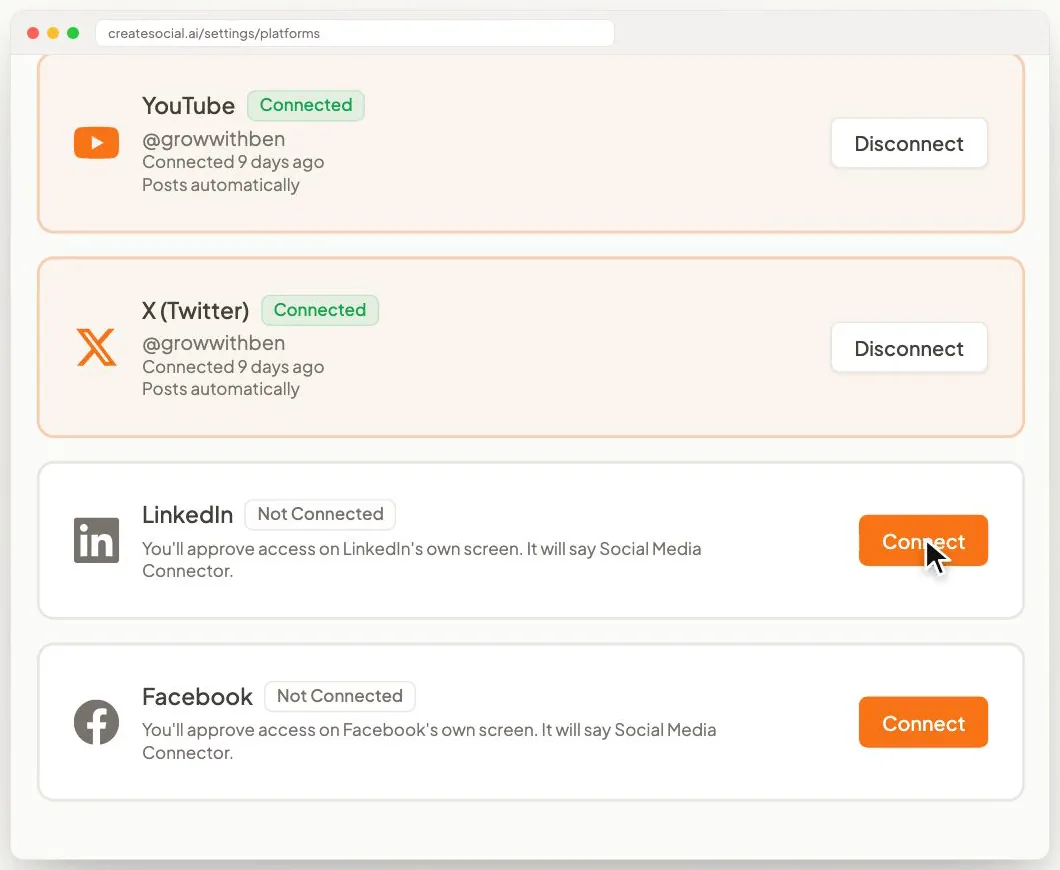
- The month goes out while you're at showings. Schedule to TikTok, Instagram, YouTube, LinkedIn, Facebook and X with a caption written for each, and we post it for you once your accounts are connected. The Analytics page tracks views, likes, comments, shares and followers on TikTok, Instagram, YouTube, LinkedIn and Facebook, next to your Friday count.
Also in the one plan: competitor tracking for agents in other markets whose videos you admire, reaction videos in Layout or Stitch mode for the viral home-buying advice your clients ask about, virtual backgrounds with or without a real green screen, eye contact correction, safe-zone guides for TikTok, Reels and Shorts, Find Clips to cut your long town guide into vertical clips, and YouTube thumbnails made from your video and photos of you.
Sellers like an agent they can reach. I run CreateSocial the same way. I'm Ben Moore, and I built CreateSocial on my own, bootstrapped, here in Cincinnati, Ohio, so you talk to me directly. Feature requests come to me, and a lot of what customers ask for gets built. Before CreateSocial, my agency generated millions of followers and millions of dollars in revenue for its clients, and I've generated hundreds of millions of views.
It's $129 a month, or $99 a month billed annually, with no add-ons and no per-feature charges. Start your free trial and have your first seller video in past clients' texts by Friday. Want to plan your farm area's first month together? Book a free strategy call with me.
This week: film one seller video and send it to ten past clients
- Pick script 1 or 2 and fill the brackets for a street you know well.
- Film it in sections, at your desk or on your phone. The teleprompter and sections come with a free CreateSocial trial.
- List ten past clients who have owned their home for five years or more.
- Text each one the video with the note above, one person at a time.
- Add "How did you hear about me?" to your first call with every new seller.
Then watch for the reply that starts "My neighbor was asking about you."
Questions people ask
What should realtors post on social media?
Videos that help owners decide: what you would fix before listing, how you would price a house and what the first two weeks on the market look like. Add neighborhood videos, listing walkthroughs and a monthly market update, and turn your listing presentation into carousels.
What is the best social media platform for realtors?
Facebook and YouTube for homeowners. Baby Boomers made up 55% of sellers in NAR's 2026 Generational Trends report, and in Pew's 2026 survey 71% of adults aged 50 to 64 used Facebook and 85% used YouTube. Add Instagram for younger buyers, since 79% of adults under 30 used it, and post every video on all three.
How do realtors get listings from social media?
Through the people who already know them. In NAR's 2025 Generational Trends report, 66% of sellers hired a referral or an agent they had used before, and 81% contacted only one agent. Weekly videos keep you the agent past clients name, and they are what a referred seller watches before calling you.
Is social media worth it for real estate agents?
Yes, if you judge it by listing appointments rather than views. In NAR's 2025 Technology Survey, 39% of REALTORS named social media as the technology that brought them the most quality leads, ahead of their CRM and their local MLS.
How often should a real estate agent post on social media?
Two short videos and one carousel or written post a week, plus one longer YouTube video a month, is enough if you keep it up. Film it all in two sessions a month, one on location and one at your desk.
What are good Instagram posts for realtors?
Reels of listing walkthroughs filmed room by room, 60-second videos about your town and seller videos like what you would fix before listing. Carousels built from your listing presentation work well too. Pin your best seller video to the top of your profile.